Best Instagram DM Tools for Agencies: 4 Compared (2026)
Compare Instagram DM tools for agencies by client workspaces, account limits, team access, automation workflows, and per-client handoff.
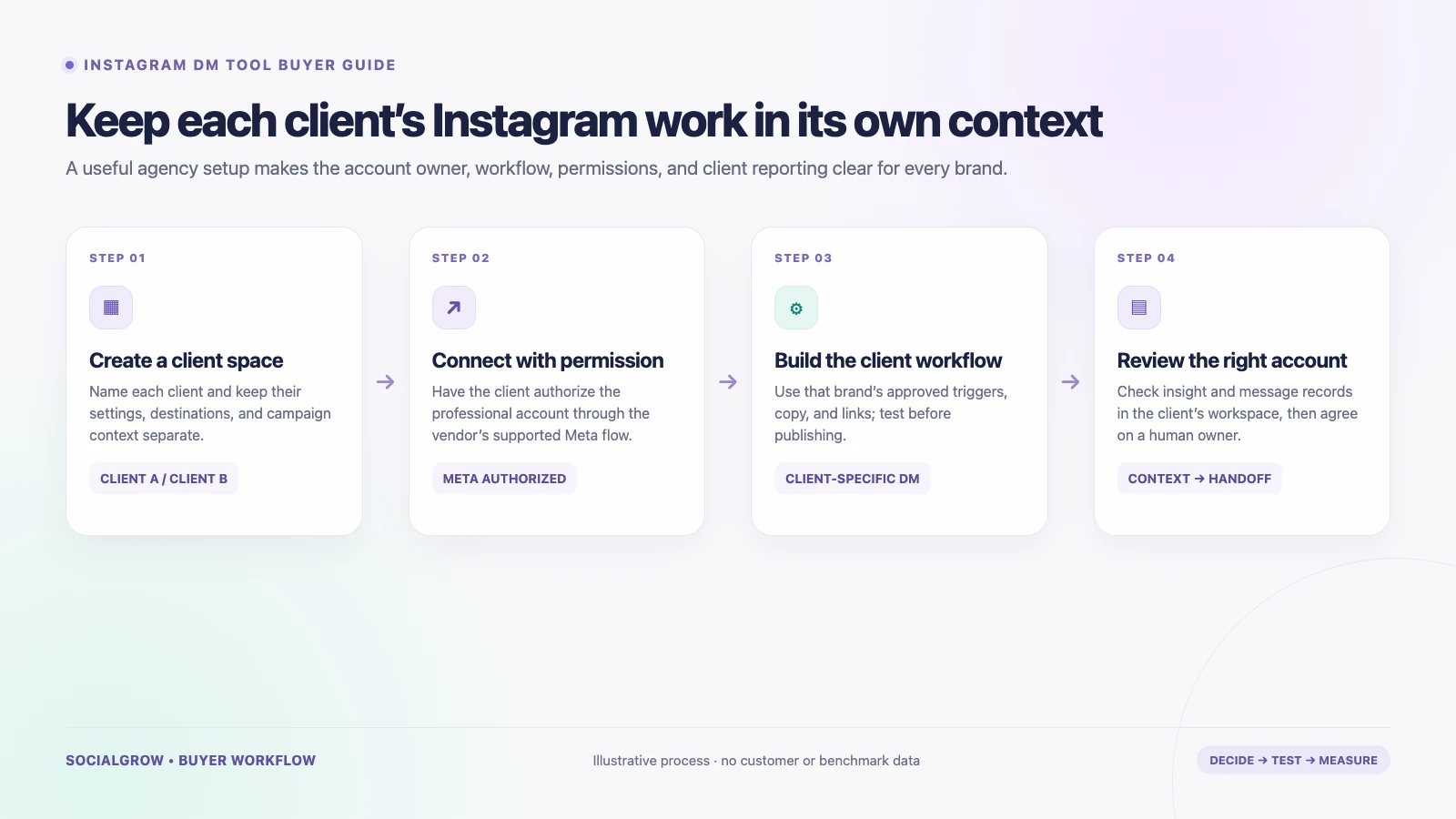
The best Instagram DM automation setup for an agency is the one that keeps each client’s account, triggers, messages, and reporting separate. A solo creator can choose a tool by its comment-to-DM features; an agency also has to check who can access each workspace, how billing works across accounts, and what the client can review.
This shortlist compares four tools using their public product, help, and pricing pages. It is not a hands-on performance ranking. Prices and plan details were checked on September 24, 2026; confirm current access, billing, and feature availability with the vendor before connecting a client account.
Quick comparison
| Tool | Agency-relevant public detail | Verify before onboarding clients |
|---|---|---|
| SocialGrow for Agencies | Its focused agency pilot describes separate client workspaces, Meta OAuth connections, AutoDM workflow creation/editing, and Instagram content insights. Pilot overview | Confirm pilot access, client permission flow, seats, account limits, reporting and support scope for your agency. The page says broader campaign operations are still coming. |
| ManyChat | One Instagram account can be connected to each ManyChat account. Additional Instagram accounts use separate accounts and billing, which an agency can organize under a single profile. Account guide | Model per-client subscriptions, account ownership, team access, and contact-based overages. Pricing |
| CreatorFlow | Growth lists up to five Instagram accounts, five team seats per workspace, and 10,000 DMs per workspace/month. The page lists US$30 monthly or US$24/month billed annually. Pricing | Confirm how the workspace maps to clients, whether the available roles fit your process, and how the monthly quota is applied. |
| LinkDM | Pro lists up to three Instagram accounts for US$19/month; Platinum+ lists up to 10 accounts for US$99/month and a higher message allowance. Pricing | Confirm the exact DM quota for your billing term and whether account permissions, client access, and reporting fit your agency. Those details are not all explained on the public pricing page. |
Four tools to evaluate
1. SocialGrow for Agencies: client workspaces and Instagram-first workflows
SocialGrow’s focused agency pilot describes a workspace for each client, professional Instagram connections through Meta OAuth, AutoDM workflow creation and editing, and Instagram content insights. Its ecommerce agency page positions the product around repeatable Instagram conversations—such as sending an approved product or help link—while leaving catalog, inventory, orders, returns, and support tickets in the client’s commerce stack.
Consider it when: your agency needs client separation and Instagram-first reply workflows, and a guided pilot fits how you onboard clients.
Ask before buying: which product surfaces are live for your account, how many client workspaces and team users are included, what a client can view, and where a workflow’s message/click information can be exported. Do not treat the current focused pilot as a full social publishing or influencer-campaign system.
For the detailed vertical workflow, review Instagram management for ecommerce agencies. For stores that also need order-aware support, compare the separate Instagram DM tools for ecommerce.
2. ManyChat: one Instagram account per account, with multiple channels
ManyChat’s account documentation says one Instagram business account can be connected to a ManyChat account. An additional Instagram account needs a separate ManyChat account with its own settings and billing; the accounts can appear under the same profile. Paid plans also describe team members and multiple messaging channels.
Consider it when: a client needs Instagram plus other supported messaging channels and your team is comfortable administering a separate automation account for each Instagram profile.
Check: who owns each account, how team invitations work when a client owns the ManyChat account, what plan level is required, and how active-contact overages affect your per-client margin. ManyChat’s pricing page shows current allowances and says pricing availability can depend on region.
3. CreatorFlow: a published multi-account and team-seat plan
CreatorFlow’s Growth plan lists five Instagram accounts and five team seats per workspace, alongside a 10,000-DM monthly allowance per workspace. Its page lists the plan at US$30 monthly or US$24 per month billed annually. Pro lists fewer accounts and features such as email collection, click tracking, and CSV export.
Consider it when: the agency wants a small, flat-price multi-account starting point for link delivery and lead capture.
Check: whether each client should be a separate workspace or account, how permissions are assigned, and whether its published message allowance matches the expected activity. Do not assume that five connected accounts means five isolated client workspaces; confirm the structure in the product.
4. LinkDM: a higher account-count option to examine
LinkDM’s public pricing page lists up to three connected Instagram accounts on Pro and up to ten on Platinum+. The monthly page lists Pro at US$19 and Platinum+ at US$99, with higher message allowances on the larger tier. The feature breakdown lists comment automation, lead generation, and inbox automation on paid plans.
Consider it when: the agency’s immediate constraint is connecting more than a few accounts for lightweight comment and link workflows.
Check: the pricing page presents some quota details differently between monthly and annual views. Confirm the quota, role permissions, client separation, support, and reporting in the checkout or with the vendor before promising a fixed per-client cost.
A practical agency evaluation
Run the same onboarding test with a non-production account before moving client campaigns:
- Client access: connect an account through an authorized Meta flow. Record who owns the connection and how access is revoked.
- Separation: create two test clients and confirm that messages, links, settings, and reports remain distinct.
- Workflow: build one approved comment-to-DM flow per client. Test the trigger, destination link, and human handoff.
- Permissions: have a strategist and account manager check which settings each role can change.
- Reporting: find the source post, messages sent, clicks, and any lead data for each client without combining the accounts.
- Cost: calculate the monthly total using the actual number of client accounts, people, active contacts or messages, and billing terms.
Before a campaign goes live, each client should approve the trigger, copy, destinations, data collection, and escalation owner. Review Meta’s Instagram Messaging API documentation when checking account authorization and platform capabilities.
Sources and method: this guide uses the linked vendors’ public help, feature, and pricing pages checked September 24, 2026. It compares published operating details, not account safety, delivery speed, conversion lift, or customer results from hands-on tests.
To see SocialGrow’s current agency Instagram workflow, book a pilot walkthrough.
Related Articles
Social Media Management for Agencies | Workflows & Reporting
A practical guide to agency social media management: client workspaces, Instagram workflows, reporting, and honest automation limits.
use-casesE-commerce Marketing for Agencies | Instagram Workflow
A practical guide for agencies managing ecommerce Instagram accounts, product questions, comment-to-DM workflows, and client reporting.
use-casesMed Spa Marketing for Agencies | Instagram Lead Guide
A compliance-conscious guide for agencies managing med spa Instagram marketing, consultation enquiries, booking workflows, and human handoffs.
Ready to see SocialGrow for Agencies in action?
Book a 30-minute walkthrough. We'll show you how it replaces your spreadsheet chaos.
Book a DemoNo credit card required · 30-minute walkthrough