5 Best Instagram DM Automation Tools in 2026, Ranked
Our ranked Instagram DM automation tools for 2026, compared by lead capture, channel mix, link delivery, plan limits, and workflow fit.
No Instagram DM tool is best for every workflow. For this guide, we rank five options against a small-business acquisition path from a comment or Story interaction to a promised resource, useful lead context, and human follow-up. A lower-ranked tool may still be the better fit if you only need a link send, a multi-channel flow, or a WhatsApp handoff.
We rank the tools by Instagram trigger coverage, lead-capture and follow-up fit, workflow breadth, and published plan limits. SocialGrow is our product and is included because its published capabilities fit this Instagram-first workflow. Competitor prices and plan details below were checked on September 28, 2026; SocialGrow’s public prices were checked on September 27, 2026. Billing country and terms can change, so confirm them on the linked provider pages before buying.
Short answer: which Instagram DM tool should you choose?
For the Instagram-first lead workflow assessed here, start with SocialGrow if you need comment and Story replies connected to a lead record and team follow-up. Choose ManyChat when a visual builder and multiple messaging channels matter more. Consider CreatorFlow for Instagram workflows with click tracking, LinkDM for lightweight link delivery, and Chatfuel when the next conversation belongs in WhatsApp. This is a first-party fit ranking, so test the same workflow in your finalists before subscribing.
If you already use ManyChat, read the direct SocialGrow vs ManyChat comparison or the broader ManyChat alternatives guide. If your campaign starts with comments, the comment-to-DM tools guide focuses on that trigger.
Use these Instagram auto-reply examples to define one workflow before comparing plans. If your goal is specifically to collect and qualify leads, see the focused Instagram DM lead-generation tools comparison.
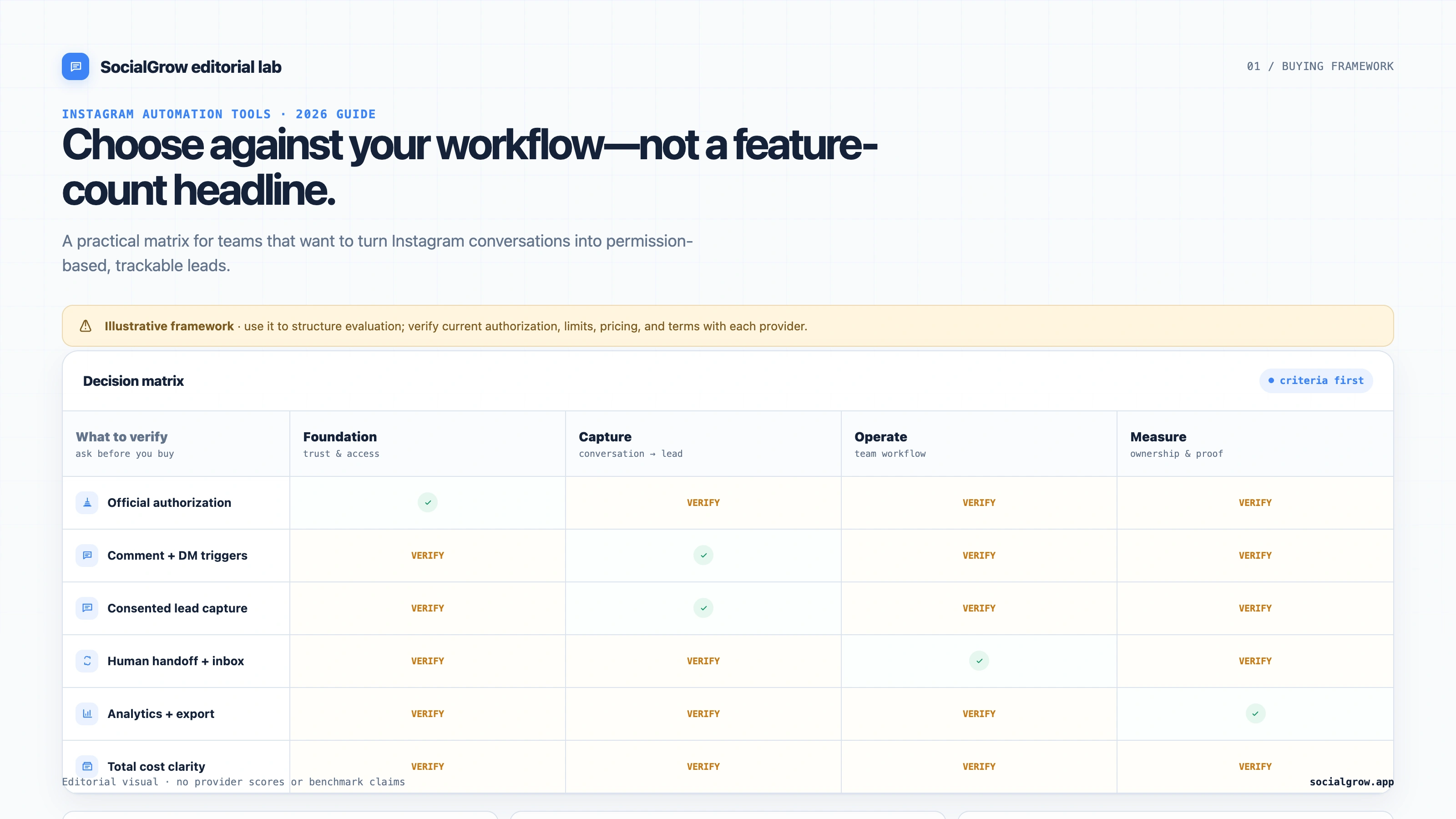
Quick comparison: 5 ranked picks
| Tool | Best fit | Public plan detail | Check before choosing |
|---|---|---|---|
| #1 SocialGrow | Instagram-first replies, lead capture, and follow-up | US$14.99/month or US$149/year; India: ₹499/month or ₹4,990/year. 7-day trial, no card required. Pricing and billing-region details | Confirm the exact triggers, lead fields, team workflow, and reporting your account needs. |
| #2 ManyChat | Instagram plus a broader messaging operation | Free includes 25 Active Contacts/month; Essential is US$17/month or US$14/month billed annually, with 250 included contacts. Pricing · Plan details | Contact overages, channels, plan gates, and the total price for your billing country. |
| #3 CreatorFlow | Instagram comment-to-DM and story workflows with click tracking | Free: 1 account and 500 DMs/month. Pro: US$15/month or US$12/month billed annually, with 5,000 DMs/workspace/month. Growth: US$30/month or US$24/month billed annually, with 10,000 DMs/workspace/month. Paid plans have a 14-day trial requiring a payment method. Pricing | Whether its message and workspace limits match your campaign volume. |
| #4 LinkDM | Lightweight Instagram link delivery and creator automations | Free includes 1 account and 1,000 DMs/month; Pro is US$19/month for up to 3 accounts and 25,000 DMs/month. Pricing | Comment auto-reply and lead-gen features are listed on Pro; check whether its lead records and handoff are enough. |
| #5 Chatfuel | Sending Instagram commenters to a WhatsApp conversation | Its current Instagram comments page advertises a free comment-to-WhatsApp flow. | Verify the flow’s current scope, account eligibility, WhatsApp handoff, and any separate paid-platform limits. |
SocialGrow shows INR prices for India and USD prices elsewhere, based on billing location. The ManyChat prices above are US list prices; its page says billing country affects the final price. CreatorFlow’s trial terms, account count, and DM allowances are listed on its current pricing page. LinkDM also shows more than one billing option. Treat monthly equivalents as plan comparisons, not a quote.
How we ranked the tools
The order is an editorial fit ranking for a business that wants Instagram-first lead capture and follow-up. We favor tools that cover more of that journey, then account for channel breadth, simpler link delivery, and plan units. The ranking uses capabilities described on the linked provider pages checked September 28, 2026; SocialGrow is our product. It does not claim measured lead or sales outcomes.
Before connecting an account, confirm the supported Meta authorization flow, account requirements, triggers, consent and opt-out handling, human handoff, reporting, exports, and full cost at your expected volume. Meta’s Instagram Messaging API documentation is the starting point for platform capabilities. Never give an automation provider your Instagram password.
5 best Instagram DM automation tools, ranked
1. SocialGrow: Instagram-first lead workflows
SocialGrow focuses on Instagram comment, DM, and Story workflows that can continue into lead capture and follow-up. Comments appear in the comment inbox; DMs use a separate inbox that is currently in beta. Story interactions can start supported workflows, but they do not appear in a combined inbox. Review the current Instagram auto-reply workflow, lead-capture workflow, and pricing before choosing a plan.
Watch the SocialGrow ManyChat alternative and pricing walkthrough for a product overview. The current comparison and plan details on this page remain the source to check before choosing.
A good fit when: Instagram is a primary acquisition channel and the business needs to keep the source conversation, lead context, and next action together.
Check: Build one real workflow in the trial. Confirm each trigger, captured field, handoff, and report you expect, then compare the resulting cost with tools priced by message or active contact.
2. ManyChat: multi-channel messaging
ManyChat supports Instagram alongside other messaging channels. Its current US list prices are $17/month or $14/month billed annually for Essential (250 Active Contacts), and $39/month or $29/month billed annually for Pro (2,500 Active Contacts). The free plan includes 25 Active Contacts/month. Paid plans charge for additional contacts above their allowances; ManyChat says plan availability and final prices can vary by billing country and account eligibility. See its pricing page and official plan guide.
A good fit when: Your team already runs messaging across several supported channels or needs a larger visual automation system.
Check: Estimate active contacts, overages, channel requirements, team seats, and plan gates for the account you will actually use. Read the ManyChat free-plan documentation for its current free-tier limits.
For a shortlist of alternatives, read 16 ManyChat alternatives for Instagram. For a direct product comparison, use the separate SocialGrow vs. ManyChat page.
3. CreatorFlow: Instagram workflows with lead-capture extras
CreatorFlow’s public pricing page lists comment-to-DM and story-reply automation on its free plan, with one Instagram account and 500 automated DMs per month. Pro lists two workspaces, 5,000 DMs per workspace/month, email collection, click tracking, CSV export, and geo analytics at US$15/month or US$12/month billed annually. Growth lists five accounts, 10,000 DMs per workspace/month, and five team seats at US$30/month or US$24/month billed annually. Its 14-day trial applies to paid plans and requires a payment method.
A good fit when: You want an Instagram-focused entry point and care about collecting an email or seeing link clicks without a larger multi-channel setup.
Check: Confirm how it handles multiple workspaces, monthly volume, consent language, and the exact analytics or export fields you need.
4. LinkDM: post and comment link automation
LinkDM’s pricing page lists post and Reel auto-replies and story automations on its free plan, with one Instagram account and up to 1,000 DMs per month. Its US$19/month Pro plan lists up to three accounts and 25,000 DMs per month, and adds comment auto-reply, flow automation, and lead generation.
A good fit when: Your main workflow is delivering a link or resource from an Instagram post, Reel, or comment.
Check: Ask what its lead-generation feature records and exports, how a teammate takes over a conversation, and what happens when the DM allowance is reached.
5. Chatfuel: comment-to-WhatsApp handoff
Chatfuel currently advertises a free Instagram comment workflow that sends a public auto-reply and moves the commenter toward a WhatsApp conversation. That narrow path may suit a business whose next step is specifically a WhatsApp chat.
A good fit when: You want commenters to continue the conversation on WhatsApp, and that handoff matches how your team sells or supports customers.
Check: The landing page describes the comment-to-WhatsApp use case, not every capability or limit of the broader product. Confirm the current flow, account requirements, data capture, and any paid limits before comparing it with an Instagram inbox product.
Which type of tool do you need?
You only need to send a promised link after a comment. Start with LinkDM or Chatfuel, and check the delivery limits and what information your team can see afterward.
You need to collect and qualify leads. Compare SocialGrow and CreatorFlow with ManyChat. Test what each one records, where that record goes, how a teammate follows up, and how results are reported. The focused lead-generation tools guide covers this decision in more detail.
You need several messaging channels. Evaluate ManyChat’s current channel and contact plan against your existing workflow. Do not pay for channels your team will not use.
You need simple repeated replies. First write down the specific incoming message or interaction, then test whether a narrow rule handles it safely. An open-ended AI agent may be unnecessary for a predictable FAQ.
A practical buying checklist
Before you subscribe, build one small automation and verify:
- Connection: The tool uses the supported account authorization and does not request your Instagram password.
- Trigger: The exact comment, DM, or story event you rely on is supported for your account.
- Value and consent: The first message delivers what the person asked for. Any additional lead field is clearly explained and optional where appropriate.
- Handoff: A person can see the conversation and take over when the automation reaches its limit.
- Measurement: You can separate triggers, delivered messages, clicks, captured leads, and meaningful downstream actions.
- Cost: You know the bill at your expected message, contact, seat, account, integration, and AI usage.
For Meta requirements, review the current Instagram Messaging API documentation. For setup examples, use the Instagram auto-reply setup guide.
Frequently asked questions
What is the best Instagram automation tool for a small business?
For the Instagram-first acquisition workflow used in this ranking, SocialGrow is our top pick. If your primary need is a link-only campaign, a broader multi-channel setup, or a WhatsApp handoff, compare the relevant lower-ranked option and verify its exact limits and workflow.
Which Instagram automation tool has a free plan?
ManyChat, CreatorFlow, and LinkDM currently publish free plans with usage limits. Chatfuel advertises a free comment-to-WhatsApp flow. Limits differ by contact, DM, account, and feature, so follow each provider’s current pricing page.
Is Instagram DM automation safe?
Use a provider that connects through supported Meta authorization, does not ask for your password, and follows Meta’s messaging rules. Review the provider’s permissions and give people a clear way to get help or stop follow-up.
Where can I compare ManyChat alternatives?
See the broader ManyChat alternatives guide for the shortlist and SocialGrow vs. ManyChat for a direct comparison.
Related Articles
5 Best Instagram DM Tools for Lead Generation (2026)
Our ranked Instagram DM tools for lead generation, compared by contact capture, qualification, routing, reporting, and plan limits.
automationBest Instagram Auto Reply Tools: Features, Pricing, and Setup
Compare Instagram auto reply tools for comments, DMs, and stories. Learn what to verify, how to choose a tool, and how to turn replies into leads.
automationSwitch from ManyChat: Instagram Automation Migration Checklist
Switch from ManyChat safely: document triggers, save messages, rebuild one Instagram flow, test handoff, and avoid duplicate replies.
Ready to automate your Instagram engagement?
Turn high-intent Instagram comments into useful DM follow-ups with SocialGrow.
Start Free Trial7-day free trial · No credit card required